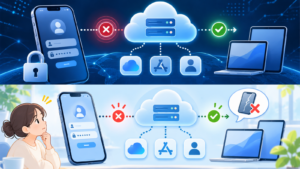



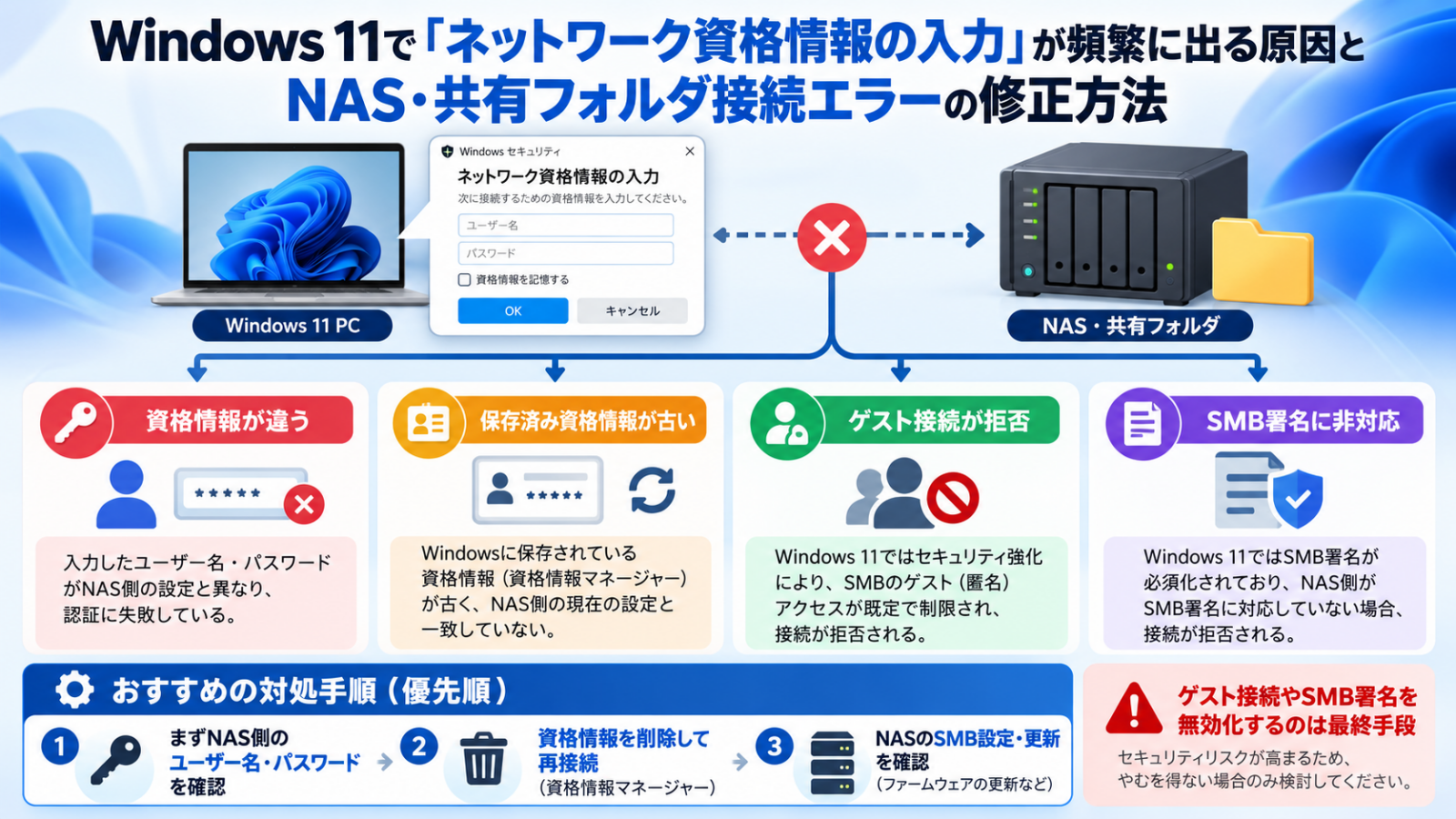
Does Windows 11 keep asking you to “Enter network credentials” when opening a NAS or shared folder—even though you think the password is correct? The cause may be an incorrect NAS account, an outdated Windows Credential Manager entry, blocked guest access or newer SMB signing requirements. Do not disable security features as your first troubleshooting step.
This guide adapts our original Japanese troubleshooting article for English-speaking Windows and NAS users, with Microsoft’s SMB security documentation checked November 8, 2026.
First identify the symptom
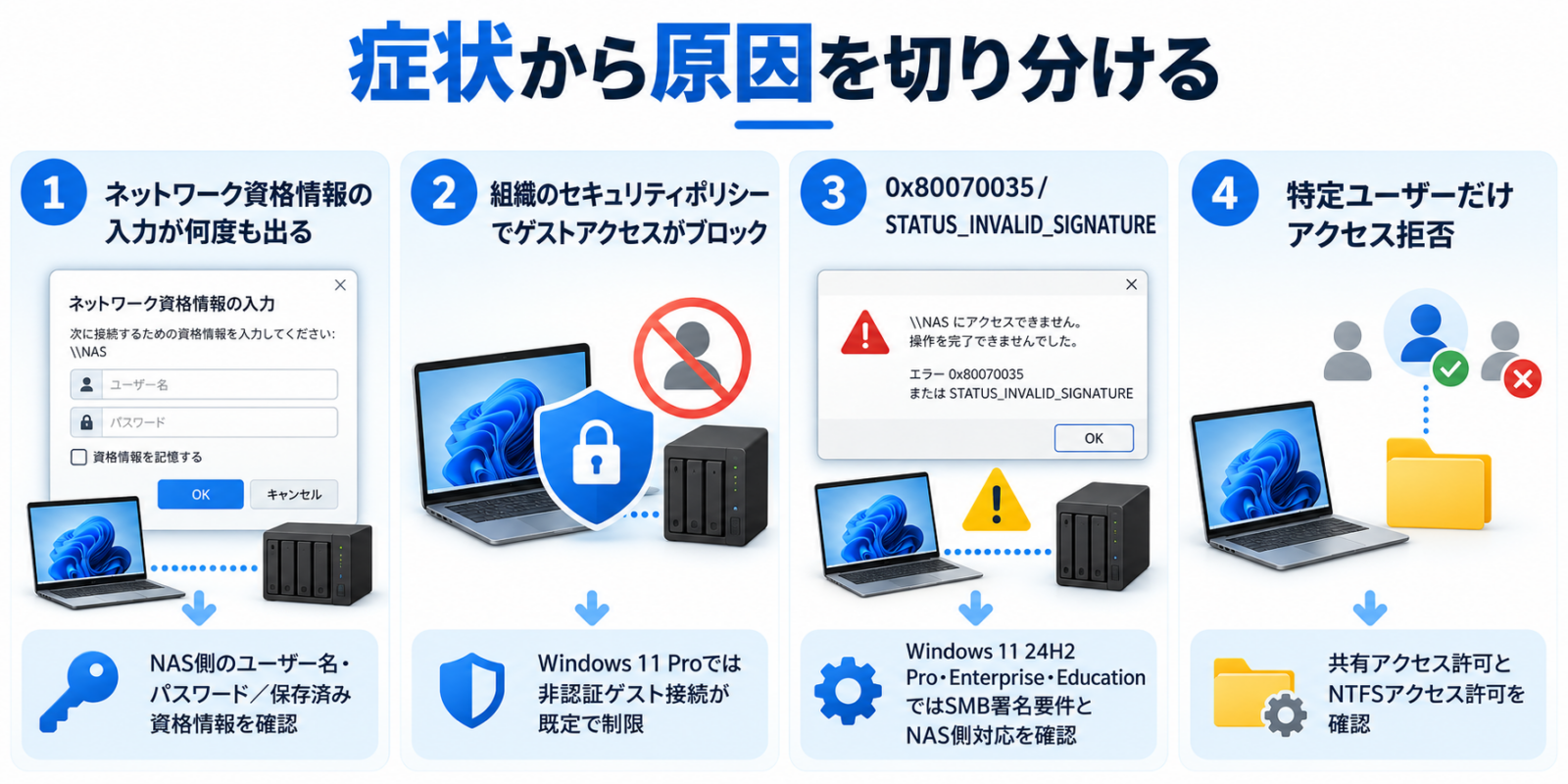
| What you see | Likely areas to investigate | First safe action |
|---|---|---|
| Enter network credentials appears repeatedly | Wrong account/password, old stored credential or stale session | Check the NAS user and clear only the saved entry for that host |
| Your organization’s security policies block unauthenticated guest access | Guest access disabled by Windows SMB policies | Create a named user with a password on the NAS |
| STATUS_INVALID_SIGNATURE or code 0xC000A000 | Server unable to meet required SMB signing behavior | Update NAS firmware and enable SMB signing on the server |
| 0x80070035 or network path not found | Name resolution, network route, firewall, server/share availability or SMB compatibility | Test connectivity and locate correct share and host |
| Only one person cannot connect | Per-user NAS permissions, Windows cached credentials or folder ACLs | Compare the account’s share and file permissions |
| Problem began after Windows 11 update | Changes in SMB signing/guest defaults, driver or network conditions | Check Windows edition/build and server SMB compatibility |
Cause 1: you entered a Windows Hello PIN instead of a NAS password
The PIN used to unlock Windows Hello is linked to your device and is not generally the remote NAS account password. To access a network share you usually need an account that exists on the destination NAS or file server. For a Windows PC share, you need a valid credential for the destination host or a correctly configured domain identity.
- Open the NAS administration interface using its approved management address.
- Check the account’s exact user name and whether it has access to the shared folder.
- If this is a home network, create a dedicated authenticated NAS user rather than relying on guest access.
- Connect from Windows File Explorer using the correctly formatted share address (for example
\\NASNAME\Share) and the NAS user’s credentials. - Avoid entering the local computer’s PIN as the network password.
Cause 2: Credential Manager saved an old login
Windows can retain a password after the NAS was replaced, the share name changed or the NAS password was rotated. In that case an old stored entry may be retried every time you open the share.
- Search Start for Credential Manager.
- Open Windows Credentials.
- Find entries for the affected NAS hostname or IP address. Be careful not to delete unrelated work credentials.
- Remove the relevant outdated entry.
- Disconnect an existing file share session if necessary; then reconnect and supply the correct NAS account.
You can inspect active mapped drives and SMB connections with the command below. This is a read-only check:
net useA stale connection to the same server using another account can interfere with a new connection. Disconnect only the affected share or drive, and make sure no applications have open files before changing live sessions.
Cause 3: insecure SMB guest logons are blocked
Some older NAS boxes or router USB-shares rely on anonymous “guest” access. Microsoft’s Windows SMB hardening rules commonly block this because an unauthenticated connection cannot provide the identity assurances expected by modern clients. The warning may mention “your organization’s security policies” even on a home PC; the wording does not imply the PC is managed by a company.
Recommended fix: enable named user accounts with strong passwords on the NAS, assign the right share permissions and connect with those credentials. Microsoft explicitly discourages insecure guest logons because of spoofing, adversary-in-the-middle and ransomware risks. See Microsoft’s guest-logon guidance.
Cause 4: Windows 11 24H2 SMB signing requirements
Windows 11 24H2 Pro, Enterprise and Education require SMB signing for inbound and outbound connections by default, according to Microsoft. Windows 11 24H2 Home does not impose the same default SMB signing requirement. A third-party NAS that cannot sign SMB traffic may fail to connect, sometimes reporting STATUS_INVALID_SIGNATURE. This is different from simply entering a wrong password.
Signing helps protect SMB data integrity and reduce certain relay/tampering attacks. The appropriate solution is generally to update the NAS and enable compatible SMB signing server-side, not to disable the protection on every Windows computer. If the NAS is obsolete, plan a replacement rather than retaining insecure guest-only or SMB1 configurations indefinitely.
Verify client SMB settings without weakening security
For an administrator with appropriate permissions, the following PowerShell query can help identify the current SMB client configuration:
Get-SmbClientConfiguration | Select-Object RequireSecuritySignature, EnableInsecureGuestLogonsRead the values as evidence of current policy, not as an instruction to change them. Organization policy, Windows edition and domain settings may override local defaults. Check firmware release notes, SMB dialect support, user permissions and Windows Event Viewer logs if more detail is needed.
Avoid these insecure shortcuts
- Do not enable SMB1 simply to access an old device unless you have a specifically reviewed, temporary migration plan.
- Do not turn off SMB signing or enable unauthenticated guest access as a routine first fix.
- Do not expose SMB ports directly to the internet.
- Do not use a shared administrator password for every client or staff member.
- Do not clear all Windows stored credentials when only one NAS entry is involved.
- On company PCs, involve IT before changing domain policy, share permissions or authentication settings.
If the share still cannot be opened
- Confirm the NAS is online and reachable on the expected network.
- Verify the exact share path and whether other users can connect.
- Test a different authorized NAS account to distinguish user permission issues from system-wide SMB failures.
- Review local firewall, VPN, DNS and workstation-to-NAS routing.
- Inspect the NAS system log and Windows SMB client event logs for authentication versus signing errors.
- If Windows update timing is suspicious, compare build/edition and the vendor’s known compatibility advisories.
FAQ
Why does Windows reject my correct PIN?
A Windows Hello PIN is not the NAS’s user password. Use credentials recognized by the destination file server.
Should I enable insecure guest logons to get my old NAS working?
Microsoft recommends against this because it weakens network security. Prefer authenticated shares and a firmware update or hardware replacement.
Does Windows 11 Home require SMB signing by default?
Not in the same way as 24H2 Pro, Enterprise or Education, according to the current Microsoft SMB signing document. Other security and sharing settings can still block connections.
Is 0x80070035 always an SMB signing problem?
No. It can result from different network connectivity, name-resolution and SMB conditions. Use logs and step-by-step isolation rather than assuming one cause.
Official references
- Microsoft Learn: SMB signing behavior
- Microsoft Learn: insecure guest logons
- Microsoft Learn: SMB security hardening
- Original Japanese Windows 11 NAS troubleshooting guide
English adaptation reviewed November 8, 2026. The illustrations are explanatory and no live NAS was reconfigured as part of this translation. Security defaults vary by Windows edition and policy.