


Can you restrict access to SharePoint Online and OneDrive by public IP address on Microsoft 365 Business Basic, without an Entra ID P1 license? Our October 2026 test found that the SharePoint admin center’s network location restriction was available and successfully denied access to OneDrive from a non-allowlisted LTE/mobile network. This is not the same as restricting all Microsoft 365 sign-ins with Entra Conditional Access.
The administrator tested an approved office public IP and a mobile network outside the allowed range. OneDrive access from mobile was denied roughly 15 minutes after the tenant setting was saved. This is a real configuration test documented in our original Japanese guide, not a guarantee that every tenant, app or license behaves identically. English adaptation checked November 8, 2026.
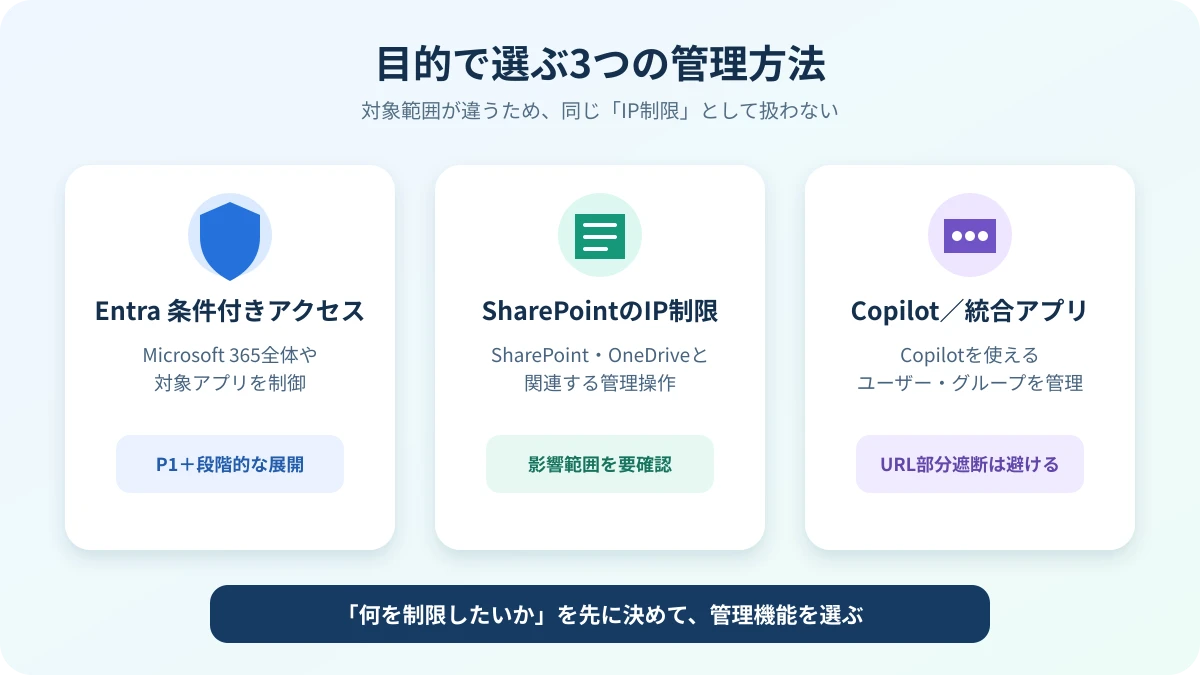
Quick comparison: SharePoint IP allowlist vs Entra Conditional Access
| Question | SharePoint network-location restriction | Entra Conditional Access |
|---|---|---|
| What it protects | SharePoint Online / OneDrive resources and relevant administration | Selected identities, sign-ins and cloud apps based on policy conditions |
| Where to configure | SharePoint admin center → Access control → Network location | Microsoft Entra admin center → Protection → Conditional Access |
| Entra ID P1 required for this exact feature? | Our Business Basic tenant used it without additional P1 | P1 or other qualifying entitlement is generally needed |
| Typical network rule | Allow only specified public IP ranges | Conditions such as named locations, user/group and cloud app targeting |
| Scope limitation | Does not automatically block every Microsoft 365 service | Must be explicitly designed, licensed, deployed and tested |
| Critical operational risk | Can lock administrators out of SharePoint/OneDrive management | Can lock out sign-in users/admins if poorly configured |
Test environment and observed behavior
| Test item | Observed in October 2026 |
|---|---|
| Subscription | Microsoft 365 Business Basic |
| Added Entra ID P1 licenses | None added for the tested SharePoint restriction |
| Allowlisted source | Office’s fixed, publicly routable egress IP address |
| Allowed office access | SharePoint/OneDrive resource access remained available |
| Denied source | Smartphone connected over LTE, not the office Wi-Fi/VPN |
| Time to observed denial | Approximately 15 minutes after change |
| Microsoft 365 sign-in for all services | Not comprehensively tested as part of this IP control |
| Copilot library and Notebooks | Observed some content-access errors; causality and comprehensive coverage not established |
Microsoft’s documentation confirms that a SharePoint network-location policy can block SharePoint and OneDrive resource access from outside a specified set of trusted IP ranges. It warns that access to administration and PowerShell is also affected. The policy may take up to 15 minutes to propagate. See Microsoft Learn: control access based on network location.
How to configure a SharePoint/OneDrive IP allowlist safely
- Document egress IPs first. Identify the public IPv4 or IP ranges that Microsoft sees after your office firewall, VPN, secure web gateway or NAT. Private device addresses such as
192.168.x.xare not the allowlist values. - Prepare a recovery path. Ensure an authorized network connection can always reach SharePoint admin center. A wrongly entered allowlist may require Microsoft Support to help restore access.
- Open Microsoft 365 admin center, navigate to the SharePoint admin center, and sign in with a suitably privileged account.
- Go to Policies → Access control → Network location (menu placement can vary) and enable Allow access only from specific IP address ranges.
- Add the trusted public IPs/ranges, including the current admin connection. Review guest access, remote work, mobile apps and vendor integrations before saving.
- Save and allow the policy to propagate, potentially up to 15 minutes.
- Test both sides: a permitted office/VPN path must still work; an unlisted mobile network should be denied. If either result is unexpected, investigate before relying on the control.
Avoid locking your own administrators out
This restriction also affects the SharePoint and OneDrive admin experience and some management commands. If you save an allowlist that excludes all available admin networks, simply using a global administrator account does not guarantee a bypass. Microsoft warns that the organization may have to contact support. Treat the change as a tenant-wide change with a tested rollback network and change-management approval.
What happened when we tested OneDrive from mobile LTE?
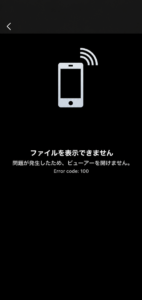
We used a fixed office egress IP address as the permitted network and then accessed OneDrive from a mobile device over an unlisted LTE connection. The non-allowlisted access was denied. One captured screen showed a file-display error; the presence of an error number is not proof that every occurrence of that same error code is due to the IP restriction.
What about Microsoft Copilot, saved files and Notebooks?
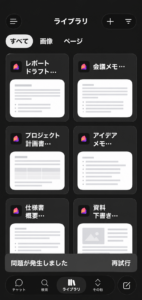
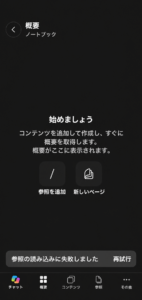
A separate October 2026 follow-up inspected Copilot application surfaces. Some library entries appeared while the corresponding content failed to load; a Notebook also reported trouble loading references. The experiment demonstrates why seeing a document card is different from successfully accessing the underlying content. It does not prove that the SharePoint IP restriction by itself fully controls all Copilot Chat, Microsoft 365 Copilot, Notebooks, email or Teams traffic.
If you need a full Microsoft 365 sign-in restriction instead
Entra Conditional Access can be a better fit when you must target users, groups, sign-in risks, device state, apps or trusted network locations across multiple resources. Review its license requirements, prepare emergency access accounts and pilot a report-only policy before enforcing restrictions. Do not confuse one SharePoint access-control option with a universal free alternative to Entra ID P1.
- Use named locations based on the public IP Microsoft sees, not a device’s internal LAN address.
- Follow a pilot-first rollout using report-only evaluation and explicit tests for exceptions.
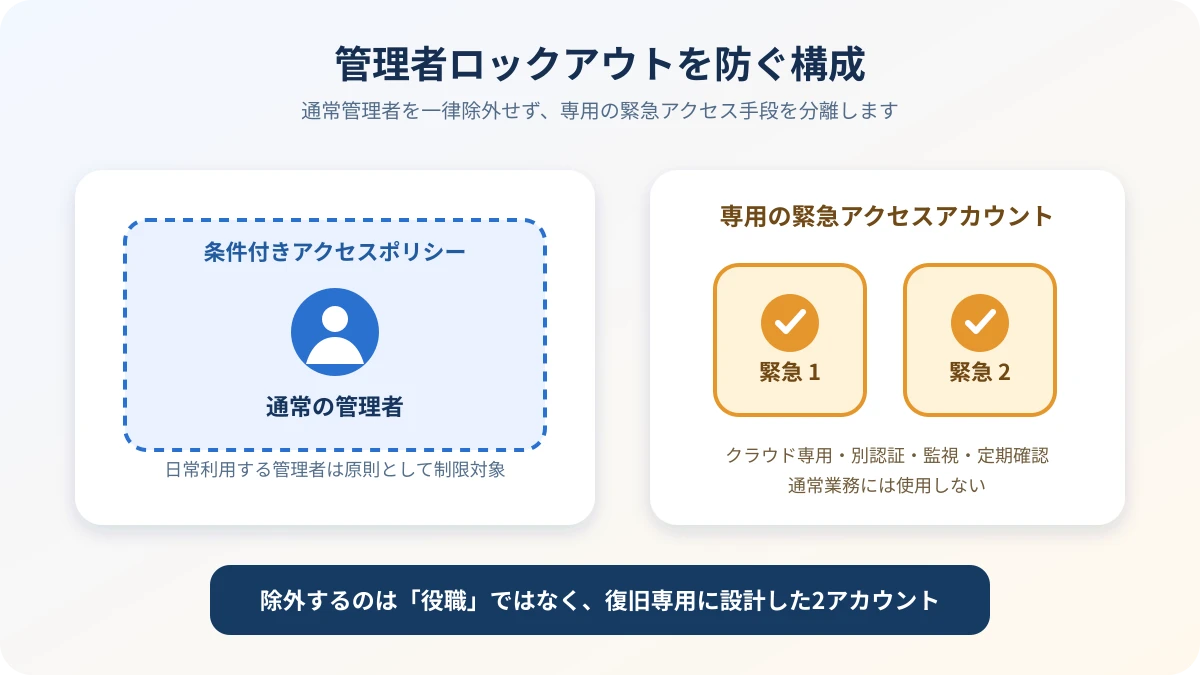
- Use separately protected emergency access accounts and review the impact of broad block policies.
- Do not casually exempt every global administrator from security controls; design break-glass accounts separately.
- Verify fixed-IP VPN egress and roaming mobile users; misconfigured split tunneling can make access originate elsewhere.
- Inventory third-party apps and guests whose traffic may come from variable cloud IP ranges.
Limits of IP-based security controls
An IP allowlist reduces access from unexpected networks but cannot replace strong authentication, least privilege, data loss prevention and monitoring. Multiple employees behind one egress IP still require separate authorization; an attacker connected through an approved office network could pass the location check. VPN users and cloud integrations can have different egress behavior. Administrators must assess all of these conditions before relying on the setting.
FAQ
Does Business Basic include Entra ID P1 Conditional Access?
Not merely by having Business Basic. The feature we tested was SharePoint’s network location-based restriction, which is a different administrative control. Entra Conditional Access has its own entitlement requirements.
Will a smartphone with mobile data always be blocked?
Only when the policy is in effect, the destination is in scope, and the request arrives from a source outside the allowed range. A phone connected to the office Wi-Fi or approved VPN may appear to come from an allowed IP.
Does this automatically block Copilot Chat?
No such universal conclusion follows from this test. Some stored resources showed loading errors, but behavior must be verified for each app and feature.
Can the global administrator always undo a bad allowlist?
No. The admin center can be blocked along with other SharePoint resources. Preserve at least one verified permitted network path and understand recovery arrangements before deployment.
Sources and testing scope
- Microsoft Learn: location-based access to SharePoint and OneDrive
- Microsoft Learn: Conditional Access overview
- Microsoft Learn: emergency access accounts
- Original Japanese-language experiment and screenshots
Live tenant test originally documented in October 2026; English version reviewed November 8, 2026. Screenshots retain Japanese language where originally captured. No new live English-tenant verification was performed.