

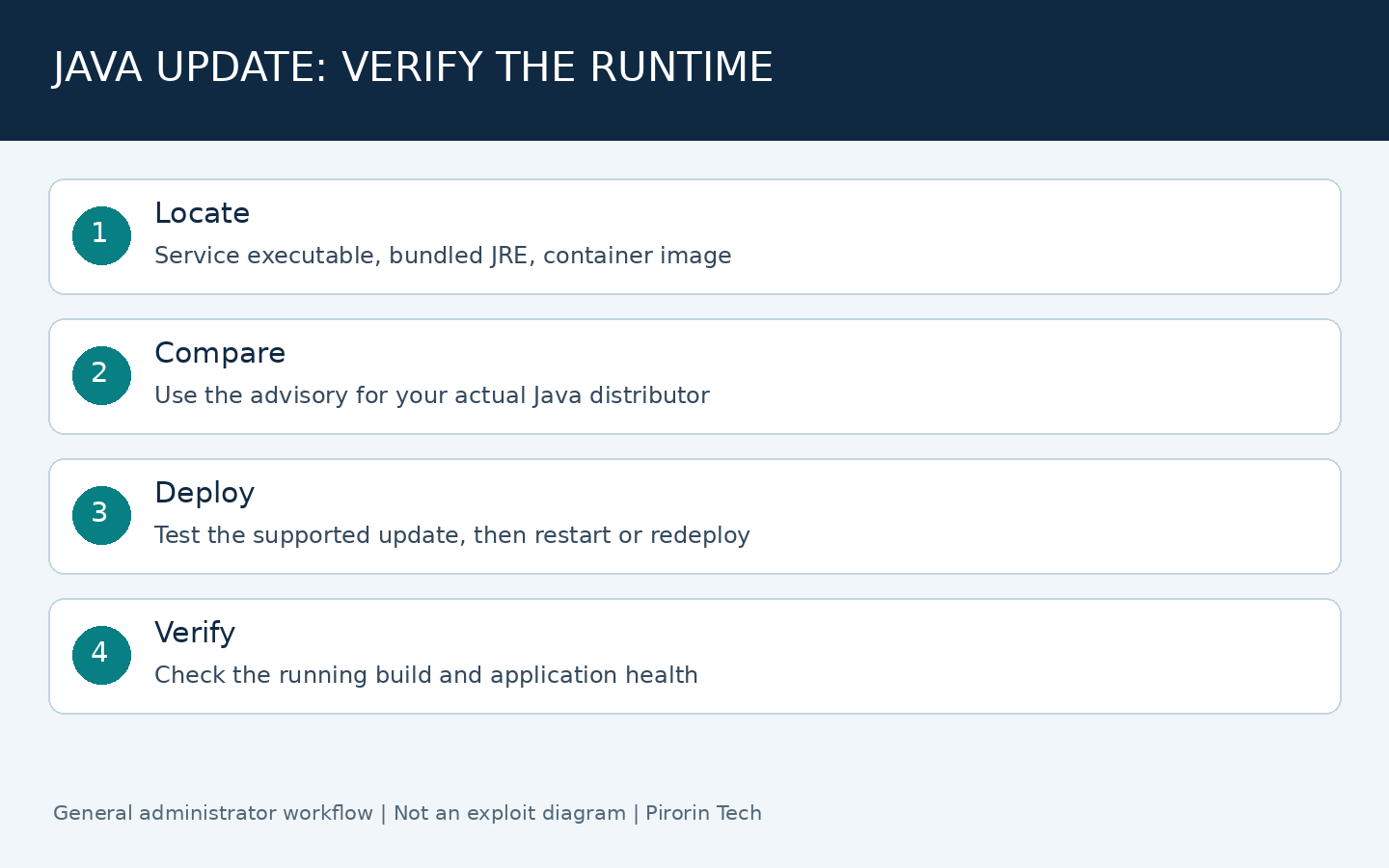
Administrators checking Java4Shell (CVE-2026-114938) should identify the Java runtime used by each application, compare it with their distributor’s advisory, and deploy a supported security update. Updating the Java executable on your desktop does not prove that a server, container or bundled business application has been updated.
Checked November 18, 2026 (JST). This guide covers the November Oracle Java update and practical deployment checks. It does not claim that every Java application is exploitable.
What does Oracle confirm about CVE-2026-114938?
Oracle’s November security advisory assigns this Compiler vulnerability CVSS 3.1 score 8.1, with network access, high attack complexity, no privileges and no user interaction required. Oracle lists affected supported versions across Java SE and GraalVM. Its note describes exposure through supplying data to affected APIs, for example through a web service. This is a deployment question as well as a version question.
The broader Java SE update contains 11 new security patches. A system outside the conditions for one vulnerability may still need the update for other fixes. Do not treat a headline about a particular CPU or application as a replacement for the full vendor advisory.
Which Oracle JDK releases should I check?
| Release line | November 17 release | Official release notes |
|---|---|---|
| 17 | 17.0.21.1+4 | JDK 17 |
| 21 | 21.0.13.1+4 | JDK 21 |
| 25 | 25.0.5.1+4 | JDK 25 |
| 27 | 27.0.1.1+4 | JDK 27 |
These are Oracle JDK release identifiers verified in the linked release notes, not universal version numbers for Temurin, Corretto, Microsoft Build of OpenJDK or another distributor. Oracle also publishes updates for other maintained lines. Use the release and package instructions for your actual distribution and product.
How to find the Java version an application actually uses
Start with java -version in a terminal. On Windows, where.exe java helps locate executables on PATH; on Linux, command -v java identifies the command selected by the shell. These commands inspect the shell’s runtime. They do not inventory every runtime installed on the machine.
- Open the service definition, startup script or application launcher configuration and record the full Java executable path.
- Check application-specific runtime folders and vendor-managed installation directories. An application may carry its own JRE.
- For containers, inspect the base image and Java package inside the deployed image. Record the image digest as well as the tag.
- Record the application owner, distributor, version, host, network exposure and planned restart window in one inventory.
- Ask the application vendor which updated runtime is supported before replacing a bundled runtime independently.
Update, restart and verify the running service
Take a recoverable backup of configuration and prepare a rollback procedure. Test authentication, database connections, scheduled jobs and application startup against the supported update. Apply the update through your normal package or application deployment process.
Restart the affected Java services during the approved window. For containers, rebuild with an updated base image and redeploy; changing the host’s Java installation alone does not replace the runtime in an existing image. After deployment, verify the executable and version used by the running service and run a functional smoke test. Keep the old and new image digests or package versions with the change record.
Why the application’s data path matters
A runtime library vulnerability becomes reachable only when application behavior meets its conditions. A network-facing application may process attacker-controlled data before authentication; a separate batch job may handle only trusted local inputs. This general distinction helps prioritize investigation but does not establish whether a particular product is affected.
Ask the product vendor for applicability and temporary mitigations. Restrict unnecessary exposure while preparing the update. Do not copy a JVM flag or WAF rule from an unrelated product and assume it provides complete protection. The exact exploitability of your deployment has not been tested for this article.
Frequently asked questions
Is this JavaScript? No. Java runtimes and browser JavaScript engines are different components. Updating Chrome is not a substitute for updating an affected Java runtime.
Does a new Java installation update every application? No. Services, containers and vendor applications can use separate runtime paths. Verify each running service.
Can I call this fully fixed after installation? Verify that the service restarted on the intended build and that the application still works. Installation success alone is incomplete evidence.
Sources and publication note
Official sources are linked above. Prepared November 18, 2026 (JST). Exact exploit conditions beyond Oracle’s advisory and vendor-specific patch availability remain subject to the relevant vendor’s guidance.